Top 5 photo editing apps mobile
Top 5 Photo Editing Apps for Mobile in 2025: Transform Your Photos On the Go
In today’s digital age, your smartphone is more than just a camera—it’s a complete photo editing studio in your pocket. Whether you’re a professional photographer looking to polish images before uploading to your portfolio, a social media content creator aiming for that perfect Instagram aesthetic, or simply someone who wants their snapshots to look their best, having the right mobile photo editing app makes all the difference.
After testing dozens of applications and analyzing current trends in mobile photography, we’ve compiled a definitive list of the top five photo editing apps that dominate the mobile editing landscape in 2025. Each app offers unique strengths, from AI-powered tools to film-inspired filters, ensuring there’s something for every type of photographer.
1. Adobe Lightroom Mobile: The Industry Standard
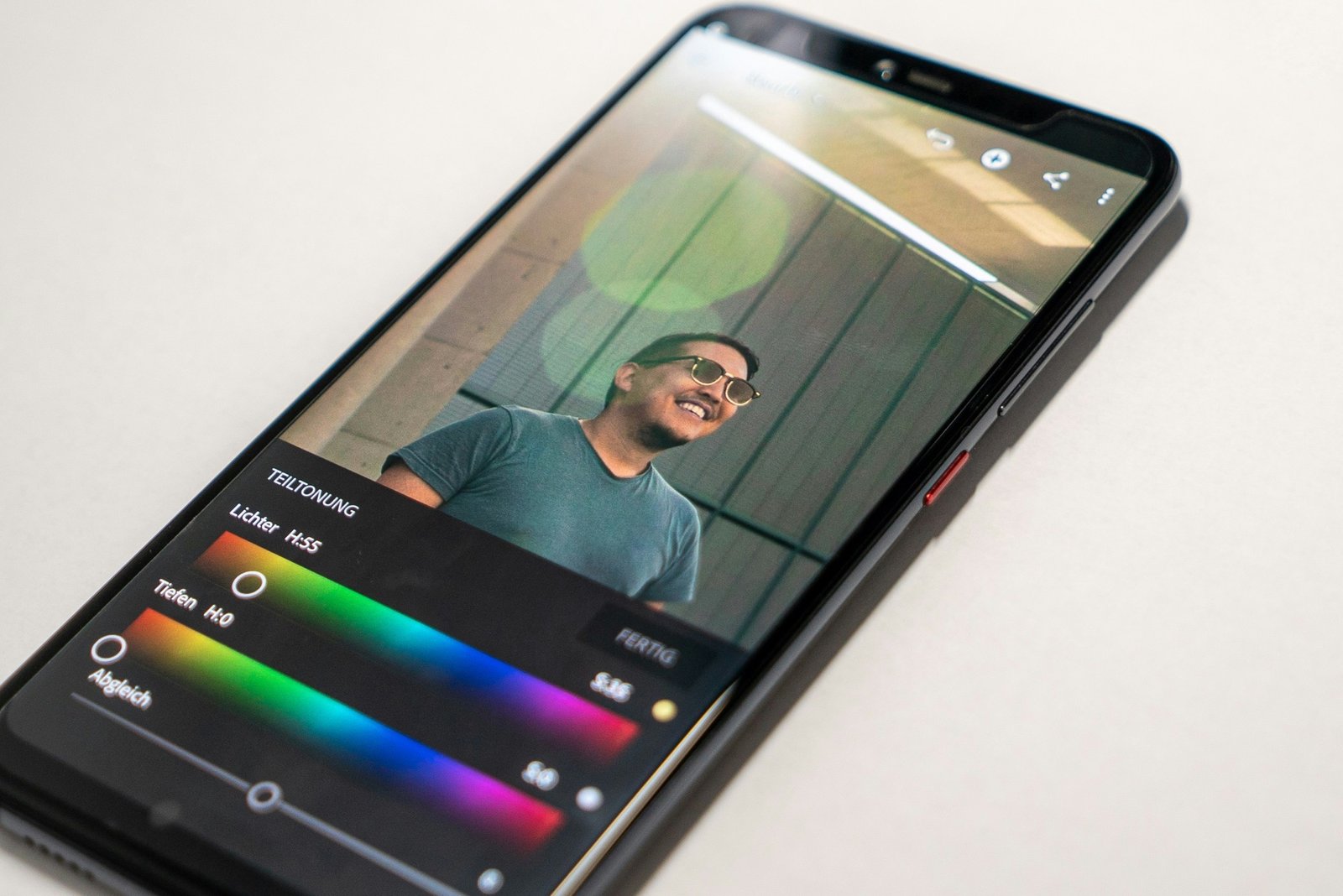
Adobe Lightroom Mobile continues to hold its position as the gold standard for mobile photo editing, and for good reason. This powerhouse application brings desktop-level editing capabilities to your smartphone with seamless cloud synchronization across all your devices.
Key Features:
- Professional RAW photo editing with non-destructive workflow
- AI-powered Generative Remove tool that can eliminate unwanted elements like power lines in seconds
- Firefly-powered preset suggestions that analyze your photo library and recommend matching looks
- Complete synchronization through Creative Cloud, allowing you to start editing on your phone and finish on your tablet or desktop
- Advanced tools including curves, color grading, selective adjustments, and lens correction
- 1TB of cloud storage included with subscription
Best For: Professional photographers, serious enthusiasts, and anyone who needs comprehensive editing tools with cross-device compatibility.
Pricing: The Lightroom plan with 1TB storage costs $11.99 per month, while the Photography Plan bundling Photoshop is $14.99 monthly. Annual prepayment is available at $119.88.
Platform Availability: iOS and Android
Why It Stands Out: The ability to maintain complete editing consistency across devices is unmatched. You can capture images on your phone during a shoot, begin basic edits while commuting, and finalize everything on a larger screen at home—all without exporting or transferring files manually.
2. Snapseed: The Best Free Option
Developed by Google, Snapseed has earned legendary status among mobile photographers for offering professional-grade editing tools without charging a single cent. No ads, no in-app purchases, no subscriptions—just pure editing power.
Key Features:
- 29 comprehensive tools including Healing, Perspective correction, Curves, and HDR
- Selective Tool that lets you tap any part of your image and adjust only that area
- Professional controls for exposure, contrast, saturation, shadows, and highlights
- Incredibly small file size at just 35MB
- Clean, minimalist interface that makes editing feel calm and enjoyable
- Stacks feature that saves your editing steps for reuse on other photos
Best For: Budget-conscious photographers, beginners who want to learn editing fundamentals, and anyone who wants powerful tools without monthly fees.
Pricing: Completely free with no advertisements or hidden costs
Platform Availability: iOS and Android
Why It Stands Out: Snapseed proves that you don’t need to spend money to achieve professional results. The Selective Tool alone sets it apart, giving users pinpoint control over specific areas of their images—perfect for adjusting skin tones without affecting the entire photo or making certain elements pop without over-processing the background.
3. VSCO: The Creative Community Platform

VSCO has built a reputation that extends beyond just photo editing—it’s a complete creative ecosystem. Known for its stunning film emulations and engaged photographer community, VSCO appeals to those who view photography as an art form rather than just documentation.
Key Features:
- Over 200 premium presets, including authentic film emulations of Kodak Portra, Fuji 160 NS, and Ilford HP5
- Advanced editing tools including HSL (Hue, Saturation, Luminance), Dodge and Burn, Split Tone, and Grain
- Tone Split feature for sophisticated dual-tone color grading with film-like results
- AI-powered tools including AI Remove and Upscale for high-fidelity editing
- Recipe feature that saves custom editing sequences for consistent styling
- Built-in video editor with the same premium presets and tools
- Active creative community for sharing work and receiving genuine feedback
- Borders tool for framing images with custom colors
Best For: Creative photographers, film photography enthusiasts, Instagram content creators, and anyone seeking a community-focused platform with artistic filters.
Pricing: VSCO Plus at $29.99 annually (approximately $2.50 monthly), VSCO Pro at $19.99 monthly for video support and commercial licensing. Free version available with limited presets.
Platform Availability: iOS and Android
Why It Stands Out: The film emulations are remarkably accurate and offer a warmth and character that generic filters can’t match. The calm, supportive community stands in stark contrast to the like-focused culture of mainstream social media, making it ideal for photographers who value meaningful creative connections.
4. Photomator: The Apple Ecosystem Champion
For iOS users, Photomator represents the perfect balance between power and simplicity. With seamless integration into the Apple ecosystem and an interface that feels native to iPhone and iPad, this app has become a top choice for mobile photographers who prioritize workflow efficiency.
Key Features:
- Direct integration with iOS and iPadOS Photos library—no importing required
- ProRAW editing support for maximum image quality
- AI-driven masking for precise selective adjustments
- Batch editing capabilities for processing multiple images quickly
- Apple Pencil support on iPad for precision editing
- Clean, intuitive user interface that feels natural on Apple devices
- Comprehensive adjustment tools comparable to Lightroom Mobile
- Automatic depth-based masks for sophisticated editing
Best For: iPhone and iPad users, Apple ecosystem devotees, photographers who want powerful editing without complexity.
Pricing: $6.99 monthly, $39.99 annually, or $99.99 for a lifetime license
Platform Availability: iOS only (iPhone and iPad)
Why It Stands Out: The seamless Apple integration means you’re editing your actual Photos library, not imported copies. Changes sync instantly across your iPhone, iPad, and Mac, and the interface feels like it was designed specifically for your device—because it was.
5. TouchRetouch: The Specialist Tool
While most apps try to do everything, TouchRetouch takes a different approach—it does one thing exceptionally well. This specialized app focuses entirely on object removal and photo retouching, making it an essential companion to your primary editing app.
Key Features:
- Advanced object removal algorithms that intelligently fill in backgrounds
- Line removal tool perfect for eliminating power lines, wires, and scratches
- Blemish removal for portrait retouching
- Clone stamp tool for precise corrections
- Apple Pencil support on iPad for detailed work
- Simple, focused interface that doesn’t overwhelm
- Quick processing with excellent results on complex backgrounds
Best For: Portrait photographers, real estate photographers, anyone who frequently needs to remove unwanted elements from photos.
Pricing: One-time purchase available through the App Store (pricing varies by region)
Platform Availability: iOS (iPhone and iPad)
Why It Stands Out: When you need to remove a photobomber, eliminate unsightly trash from a landscape, or clean up a portrait, nothing works better than TouchRetouch. While apps like Photomator and Lightroom have basic retouching features, they can’t match the sophistication of TouchRetouch’s specialized algorithms when dealing with complex removal tasks.
Choosing the Right App for Your Needs
The best photo editing app for you depends on your specific requirements, budget, and workflow preferences. Here’s a quick guide to help you decide:
Choose Adobe Lightroom Mobile if: You need professional-grade tools with desktop synchronization, work with RAW files regularly, or already use Adobe’s ecosystem.
Choose Snapseed if: You want powerful editing capabilities without spending money, are new to photo editing, or prefer a straightforward approach without subscriptions.
Choose VSCO if: You love film-inspired aesthetics, want to connect with a creative community, or create content for Instagram and social media.
Choose Photomator if: You’re deeply invested in the Apple ecosystem, want native iOS integration, or prefer paying once instead of subscribing.
Choose TouchRetouch if: You frequently need to remove objects from photos or require specialized retouching beyond what general editors offer.
The Future of Mobile Photo Editing
As we move through 2025, artificial intelligence continues reshaping mobile photography. AI-powered features like automatic sky replacement, intelligent subject selection, noise reduction, and generative fill are becoming standard rather than premium additions. The line between mobile and desktop editing capabilities grows increasingly blurred as smartphones become more powerful.
Cloud synchronization has evolved from a luxury to an expectation, allowing photographers to maintain seamless workflows across multiple devices. The subscription model, while controversial, has enabled developers to continuously improve apps with regular updates and new features.
Final Thoughts
Mobile photo editing has matured into a legitimate alternative to desktop software for many photographers. Whether you’re editing casually or professionally, these five apps represent the pinnacle of what’s possible on mobile devices in 2025.
The best approach for many photographers is actually using multiple apps in combination—perhaps Lightroom or Photomator for primary editing, VSCO for creative film looks, and TouchRetouch for specialized removal tasks. Most of these apps work harmoniously together, allowing you to leverage the unique strengths of each.
Remember that the most expensive or feature-rich app isn’t necessarily the best one for your needs. Start with Snapseed’s free offering to learn the fundamentals, then explore paid options as your skills and requirements grow. The perfect editing app is the one that fits naturally into your creative workflow and helps you achieve your photographic vision efficiently.